So, you are working with Factory Utilities or you plan to be?
The first thing you might ask yourself from reading my previous posts is: What is an Asset?
Well an asset can be anything you design/build or access from a supplier. A machine, robot, platform, vehicle, boiler, pump. Autodesk Factory Utilities installs an asset browser with system assets available to use in Autodesk Inventor, Autodesk AutoCAD and Process Analysis. These assets are predefined and fall into libraries such as, Automotive, Conveyor, Material Handling, Process Equipment, Safety Equipment and many more. These assets are 3D models which have been created to help build layouts for digital analysis.
These assets are a fantastic way to start building your own layouts. But…... as you start to work with the assets you may wonder how you can create new ones or even find other ones?
You can build your own assets using existing 3D models, 2D blocks or create new 3D models. System assets can be copied and tailor to suit your design needs. Asset can also be downloaded from the cloud. Cloud assets are a combination of Autodesk built assets and Factory user assets.
Also with the ability of AnyCAD, which was introduced to Autodesk Inventor in 2016 you can open and convert any other CAD file format inside Autodesk Inventor, then publish this to your own asset library. When AnyCAD files are opened you can reference the file or create a native Inventor file. Point cloud data can also be manipulated using Autodesk Recap and used to build assets.
Assets are built using the asset builder within Inventor or AutoCAD. These assets can be stored locally, cloud or vaulted (Vault Professional Only). Asset libraries can be shared, modified and moved.
Assets can also include iLogic. For users familiar with iLogic you can create variations of your designs. The asset builder also gives similar functionality whilst building assets. Meaning that you will still be able to use and run iLogic rules after placing your assets into an Inventor layout.
As variations can be utilised in the asset building process users will be able to quickly make changes to the assets after they have been placed. So, if/when a design change is made assets can be quickly replaced with variations or replacement models.
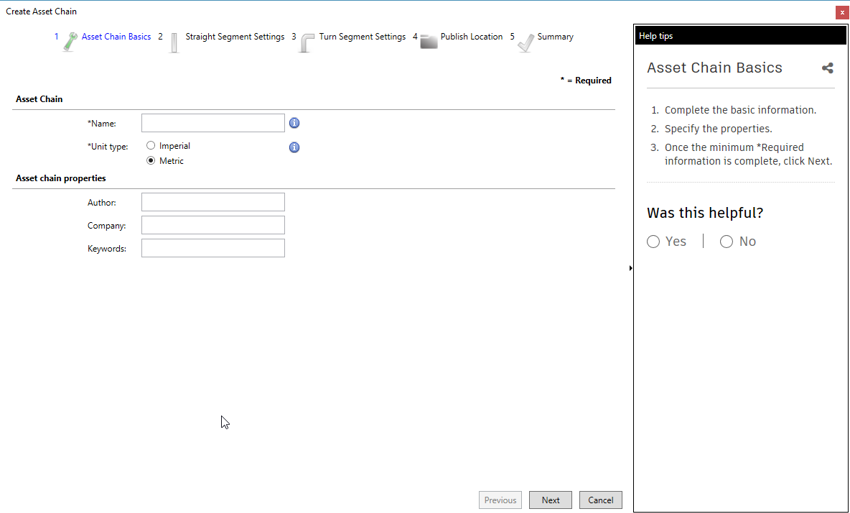
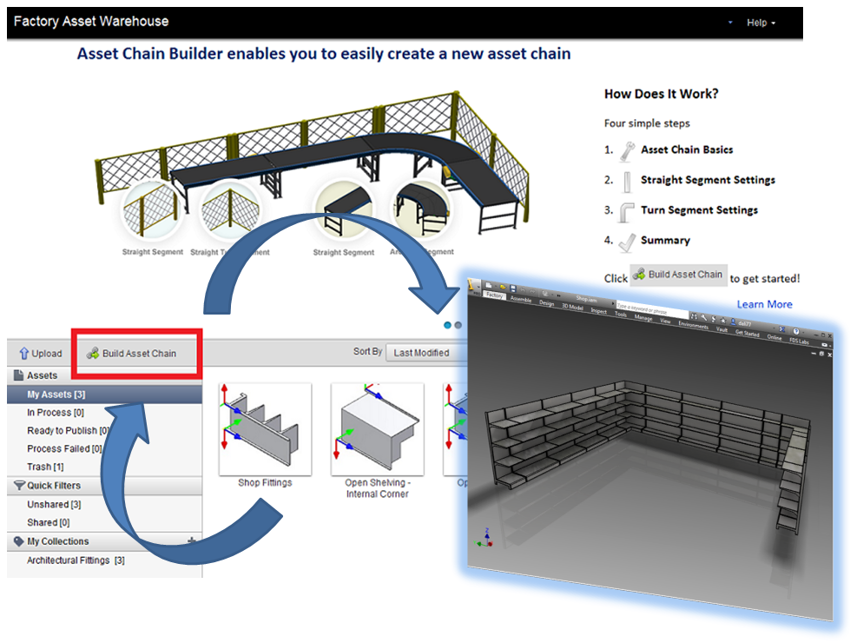
One very useful way to use assets is to build chain assets. Chain assets can be used to represent a chain of assets along a length. This length could be a variation of straight or curved assets.
Chain assets can now be created within the AutoCAD application, previous releases chain assets would be create using Factory Asset Warehouse:
Assets are the heart of the Factory workflow. Users will spend time examining, building and modifying assets to create libraries, but users must be aware that these assets should be simplified models. No nuts, bolts and washers. As layouts can vary in size it is helpful to use simplified models for computing power. Autodesk Inventor 2019 will introduce a more powerful and capable release.
If you are interested in getting started with the Factory Utilities please contact us at Symetri we have the expertise and knowledge to help you work smarter for a better future.